
Internet Marketing and AI blog
Facebook Scheduling How To

Not many small businesses know that you can schedule content for your Facebook page. It's simple and can save you time.
 At the top of your page you choose Publishing tools
Then click on schedule posts
At the top of your page you choose Publishing tools
Then click on schedule posts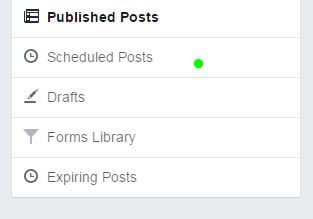
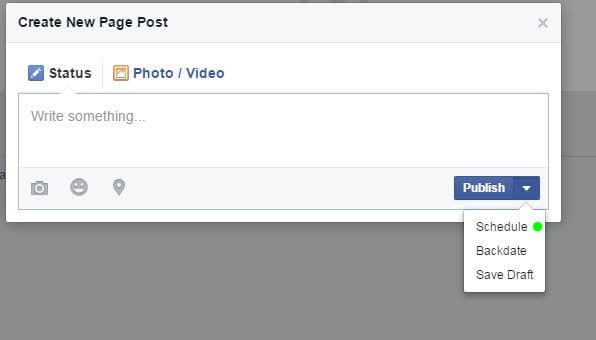 From here you can copy and paste your URL and description then press schedule on the bottom right corner.
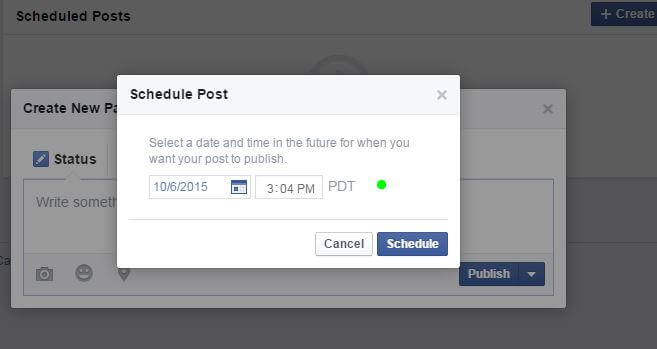 Select your desired date and time and hit schedule. It will then go into Que for publishing
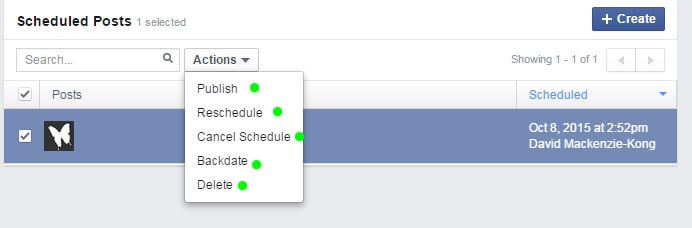 No worries if you need to go back and change the date or delete the post. You can always go into actions and do all of the above.
At the top of your page you choose Publishing tools
Then click on schedule posts
From here you can copy and paste your URL and description then press schedule on the bottom right corner.
Select your desired date and time and hit schedule. It will then go into Que for publishing
No worries if you need to go back and change the date or delete the post. You can always go into actions and do all of the above.