
Internet Marketing and AI blog
5 Apps for Content Planning on the Go

For me, the iPad is more than a leisure device. Sure, I use it to read books and magazines, to play the odd game (thanks, Candy Crush, for making me hate chocolate) and to browse the Web. But the iPad is also the 'mobile workstation' reserved for some of my more creative work.
I use it to create illustrations for my whiteboard videos, to storyboard presentations, and to take a first stab at a new blog post. And the iPad is where I plan most of the content for my blog and those I manage for my clients.
Why? Because there's something about getting away from my computer and into a more relaxed environment - whether it's my front porch or the closest Starbucks - that gets me thinking creatively.
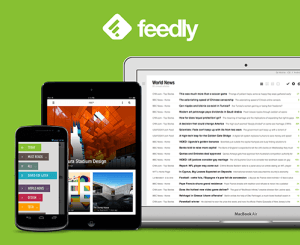 Feedly is a feed aggregator that helps people stay current with what's going on in their industry. For me, it's content marketing gold. Feedly helps me find and organize quality content, which I can then include in curated posts, or cite in opinion pieces to support my position.
For each blog I manage, I set up a "collection" that pulls feeds relevant to the blog. For example, the collection I set up for my own blog includes articles and posts about content marketing, blogging, digital marketing, marketing communications, copywriting, entrepreneurship, design, presentations, and more.
Once the collection is set up, I don't have to visit countless sites or clutter up my inbox with endless newsletters. I don't have to worry about missing important news on Twitter. Once it's published, I know that all relevant content will be waiting for me on Feedly.
From there, I can share it to my social networks, or save it so that I can easily retrieve it when I sit down to work on my post. That’s where SmartSheet and Evernote come in.
The Feedly app is free to download. You'll also need a Feedly account. There is a free option that works great, or you can pay a low monthly fee for a Pro account, which among other advantages, lets you save content directly to Evernote.
Feedly is a feed aggregator that helps people stay current with what's going on in their industry. For me, it's content marketing gold. Feedly helps me find and organize quality content, which I can then include in curated posts, or cite in opinion pieces to support my position.
For each blog I manage, I set up a "collection" that pulls feeds relevant to the blog. For example, the collection I set up for my own blog includes articles and posts about content marketing, blogging, digital marketing, marketing communications, copywriting, entrepreneurship, design, presentations, and more.
Once the collection is set up, I don't have to visit countless sites or clutter up my inbox with endless newsletters. I don't have to worry about missing important news on Twitter. Once it's published, I know that all relevant content will be waiting for me on Feedly.
From there, I can share it to my social networks, or save it so that I can easily retrieve it when I sit down to work on my post. That’s where SmartSheet and Evernote come in.
The Feedly app is free to download. You'll also need a Feedly account. There is a free option that works great, or you can pay a low monthly fee for a Pro account, which among other advantages, lets you save content directly to Evernote.
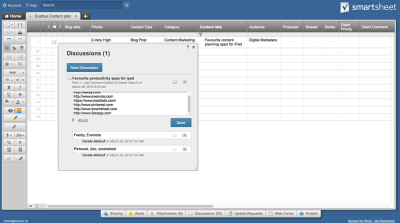 Smartsheet is a collaborative project management app. An online spreadsheet program that offers Gantt charts, reporting, plenty of built-in templates, and other robust features. One of Smartsheet’s great benefits is its flexibility. I use it with clients to manage long-term projects, but I also use it as an editorial calendar.
Yes, I know. There are plenty of editorial calendar tools and templates available out there. But Smartsheet gives me the flexibility to customize my template for each client, and the ability to work collaboratively with them on their content plan.
For each content piece I work on, I can enter the topic details, its format, priority level, delivery date, and so on. I can also record the URLs of any articles I want to cite in my post, so that I have them on hand when I sit down to write.
The Smartsheet app is free to download, but your account will cost you a small monthly fee.
Smartsheet is a collaborative project management app. An online spreadsheet program that offers Gantt charts, reporting, plenty of built-in templates, and other robust features. One of Smartsheet’s great benefits is its flexibility. I use it with clients to manage long-term projects, but I also use it as an editorial calendar.
Yes, I know. There are plenty of editorial calendar tools and templates available out there. But Smartsheet gives me the flexibility to customize my template for each client, and the ability to work collaboratively with them on their content plan.
For each content piece I work on, I can enter the topic details, its format, priority level, delivery date, and so on. I can also record the URLs of any articles I want to cite in my post, so that I have them on hand when I sit down to write.
The Smartsheet app is free to download, but your account will cost you a small monthly fee.
 Evernote is an app that keeps projects, notes, files, and web pages accessible and searchable across devices. It's also very useful for saving intriguing content that I find on Feedly, but that I either haven't had time to read in its entirety, or that I'm not yet sure how I'll use.
For cases like these, my process of logging into Smartsheet to enter the URL of the content piece can feel unnecessarily involved. Instead, I use Evernote, where I set up a 'notebook' for each of my clients. Because I have the Pro version of Feedly, it takes just a couple of clicks to save an article from Feedly directly into the Evernote notebook of my choice, where I can re-visit it when I have more time.
The Evernote app is free to download. Several types of accounts are available, including a free one.
Evernote is an app that keeps projects, notes, files, and web pages accessible and searchable across devices. It's also very useful for saving intriguing content that I find on Feedly, but that I either haven't had time to read in its entirety, or that I'm not yet sure how I'll use.
For cases like these, my process of logging into Smartsheet to enter the URL of the content piece can feel unnecessarily involved. Instead, I use Evernote, where I set up a 'notebook' for each of my clients. Because I have the Pro version of Feedly, it takes just a couple of clicks to save an article from Feedly directly into the Evernote notebook of my choice, where I can re-visit it when I have more time.
The Evernote app is free to download. Several types of accounts are available, including a free one.
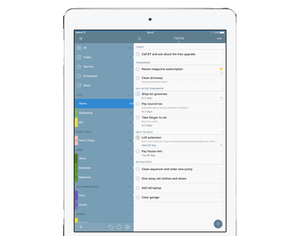 The day I bought my first iPad, several years ago, marked the start of a years-long quest for the perfect task management app. I must have tried half a dozen apps, but I found them all lacking. When I discovered 2Do, the search came to an end. It's powerful, flexible, and easy to use. I won't attempt to tell you everything that 2Do has going for it. If you want to know more about its vast functionality, you can read this review or visit 2doapp.com.
I will say that 2Do is very well suited for anyone who regularly manages multiple clients and/or projects. It allows you to view all your tasks at a glance, and to instantly filter only a subset of tasks, based on default settings (e.g. project, due date, etc.) or the criteria you set.
For this reason, it's a task management app that has joined the ranks of my favourite content planning apps. 2DO eliminates the stress of juggling 'mental Post-It notes', and lets me focus on my creative work rather than on what I might be forgetting.
Compared to some other task management apps, the 2Do app is relatively pricey, at $14.99 US. For me, it's been worth every penny.
The day I bought my first iPad, several years ago, marked the start of a years-long quest for the perfect task management app. I must have tried half a dozen apps, but I found them all lacking. When I discovered 2Do, the search came to an end. It's powerful, flexible, and easy to use. I won't attempt to tell you everything that 2Do has going for it. If you want to know more about its vast functionality, you can read this review or visit 2doapp.com.
I will say that 2Do is very well suited for anyone who regularly manages multiple clients and/or projects. It allows you to view all your tasks at a glance, and to instantly filter only a subset of tasks, based on default settings (e.g. project, due date, etc.) or the criteria you set.
For this reason, it's a task management app that has joined the ranks of my favourite content planning apps. 2DO eliminates the stress of juggling 'mental Post-It notes', and lets me focus on my creative work rather than on what I might be forgetting.
Compared to some other task management apps, the 2Do app is relatively pricey, at $14.99 US. For me, it's been worth every penny.
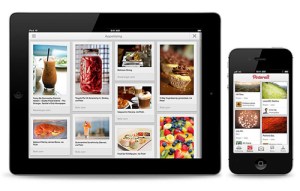 Pinterest is an app used to discover and visually bookmark creative ideas so that you can access them from any device. For most people, it's a leisure app. I've certainly been guilty of falling down the Pinterest rabbit hole, spending hours finding and pinning recipes, life hacks, home décor ideas, and fashion tips.
But now that I can create secret boards, which are only visible to me and to the people I share them with, Pinterest has become a hidden gem for planning content. It's both a source of content inspiration, and one of my go-to content planning apps.
Whenever I'm planning a visual content piece, like an infographic, presentation or video, I create a secret board. I use the board to pin visual ideas for the piece, including typography options, illustrative possibilities, sample photos, potential colour palettes, etc. I can also add comments for each pin. When I'm ready, I share the secret board with my clients, so that they can discern my vision for the project and provide their feedback. (Click here to see an example of how I used a Pinterest board on my last infographic design project.)
Both the Pinterest app and a Pinterest account are free.
Pinterest is an app used to discover and visually bookmark creative ideas so that you can access them from any device. For most people, it's a leisure app. I've certainly been guilty of falling down the Pinterest rabbit hole, spending hours finding and pinning recipes, life hacks, home décor ideas, and fashion tips.
But now that I can create secret boards, which are only visible to me and to the people I share them with, Pinterest has become a hidden gem for planning content. It's both a source of content inspiration, and one of my go-to content planning apps.
Whenever I'm planning a visual content piece, like an infographic, presentation or video, I create a secret board. I use the board to pin visual ideas for the piece, including typography options, illustrative possibilities, sample photos, potential colour palettes, etc. I can also add comments for each pin. When I'm ready, I share the secret board with my clients, so that they can discern my vision for the project and provide their feedback. (Click here to see an example of how I used a Pinterest board on my last infographic design project.)
Both the Pinterest app and a Pinterest account are free.

Content Planning Apps
In this post, I'll share the 5 content planning apps that I use regularly on my iPad. For clarity, I won't be covering the quantitative side of content planning, or all the tools I use for competitive analysis, keyword research, etc. Instead, I'll focus on the apps that help you capture, organize and flesh out the content ideas that strike you when you're reading up on your industry or in the middle of doing other things. If you don't have an iPad, you should know that all the content planning apps I've recommended have a desktop version. Also, these are all fairly deep apps with many uses. They were not specifically designed for content planning. This might make them an unconventional choice, but they work for me.1. Feedly
Feedly is a feed aggregator that helps people stay current with what's going on in their industry. For me, it's content marketing gold. Feedly helps me find and organize quality content, which I can then include in curated posts, or cite in opinion pieces to support my position.
For each blog I manage, I set up a "collection" that pulls feeds relevant to the blog. For example, the collection I set up for my own blog includes articles and posts about content marketing, blogging, digital marketing, marketing communications, copywriting, entrepreneurship, design, presentations, and more.
Once the collection is set up, I don't have to visit countless sites or clutter up my inbox with endless newsletters. I don't have to worry about missing important news on Twitter. Once it's published, I know that all relevant content will be waiting for me on Feedly.
From there, I can share it to my social networks, or save it so that I can easily retrieve it when I sit down to work on my post. That’s where SmartSheet and Evernote come in.
The Feedly app is free to download. You'll also need a Feedly account. There is a free option that works great, or you can pay a low monthly fee for a Pro account, which among other advantages, lets you save content directly to Evernote.
2. Smartsheet
Smartsheet is a collaborative project management app. An online spreadsheet program that offers Gantt charts, reporting, plenty of built-in templates, and other robust features. One of Smartsheet’s great benefits is its flexibility. I use it with clients to manage long-term projects, but I also use it as an editorial calendar.
Yes, I know. There are plenty of editorial calendar tools and templates available out there. But Smartsheet gives me the flexibility to customize my template for each client, and the ability to work collaboratively with them on their content plan.
For each content piece I work on, I can enter the topic details, its format, priority level, delivery date, and so on. I can also record the URLs of any articles I want to cite in my post, so that I have them on hand when I sit down to write.
The Smartsheet app is free to download, but your account will cost you a small monthly fee.
3. Evernote
Evernote is an app that keeps projects, notes, files, and web pages accessible and searchable across devices. It's also very useful for saving intriguing content that I find on Feedly, but that I either haven't had time to read in its entirety, or that I'm not yet sure how I'll use.
For cases like these, my process of logging into Smartsheet to enter the URL of the content piece can feel unnecessarily involved. Instead, I use Evernote, where I set up a 'notebook' for each of my clients. Because I have the Pro version of Feedly, it takes just a couple of clicks to save an article from Feedly directly into the Evernote notebook of my choice, where I can re-visit it when I have more time.
The Evernote app is free to download. Several types of accounts are available, including a free one.
4. 2Do
The day I bought my first iPad, several years ago, marked the start of a years-long quest for the perfect task management app. I must have tried half a dozen apps, but I found them all lacking. When I discovered 2Do, the search came to an end. It's powerful, flexible, and easy to use. I won't attempt to tell you everything that 2Do has going for it. If you want to know more about its vast functionality, you can read this review or visit 2doapp.com.
I will say that 2Do is very well suited for anyone who regularly manages multiple clients and/or projects. It allows you to view all your tasks at a glance, and to instantly filter only a subset of tasks, based on default settings (e.g. project, due date, etc.) or the criteria you set.
For this reason, it's a task management app that has joined the ranks of my favourite content planning apps. 2DO eliminates the stress of juggling 'mental Post-It notes', and lets me focus on my creative work rather than on what I might be forgetting.
Compared to some other task management apps, the 2Do app is relatively pricey, at $14.99 US. For me, it's been worth every penny.
5. Pinterest
Pinterest is an app used to discover and visually bookmark creative ideas so that you can access them from any device. For most people, it's a leisure app. I've certainly been guilty of falling down the Pinterest rabbit hole, spending hours finding and pinning recipes, life hacks, home décor ideas, and fashion tips.
But now that I can create secret boards, which are only visible to me and to the people I share them with, Pinterest has become a hidden gem for planning content. It's both a source of content inspiration, and one of my go-to content planning apps.
Whenever I'm planning a visual content piece, like an infographic, presentation or video, I create a secret board. I use the board to pin visual ideas for the piece, including typography options, illustrative possibilities, sample photos, potential colour palettes, etc. I can also add comments for each pin. When I'm ready, I share the secret board with my clients, so that they can discern my vision for the project and provide their feedback. (Click here to see an example of how I used a Pinterest board on my last infographic design project.)
Both the Pinterest app and a Pinterest account are free.
The Last Word
Other people suffer from the "Fear Of Missing Out” when they see posts on social media sites. I suffer from Ipad App FOMO. I’m always wondering if there is some great tool or app that I should know about that would make my life easier or my work better. Do you know of any great content planning apps that didn’t make my list? Please share in the comments.About the Author
Carole Alalouf is the President and founder of Exaltus. In her Content Marketing role at Exaltus, she focuses on turning her clients' complex information into a compelling story. She particularly enjoys visual storytelling in the form of infographics, videos, presentations, and websites. Carole is the primary contributor to the Exaltus blog (www.Exaltus.ca/blog).